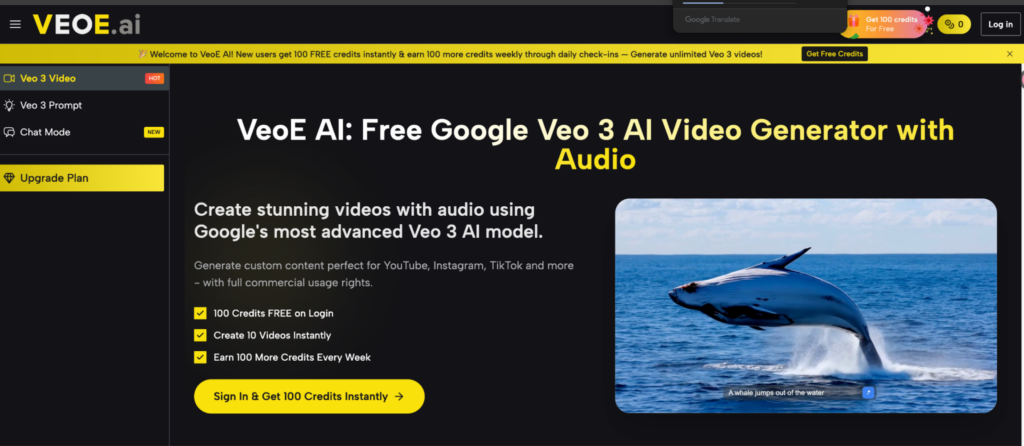
If you’ve been looking for a free, reliable way to generate cinematic AI videos with synchronized audio, Veo 3 on VeoE AI is worth your attention. Powered by Google’s most advanced Veo 3 model, VeoE AI has become a go-to platform for creators, marketers, and educators who want professional-quality video output without expensive software or a steep learning curve. This guide covers everything you need to know: the key advantages of Veo 3, the platform’s standout features, a clear pricing breakdown, and how to get started today.
The Core Advantages of Veo 3
- Native Audio — No Post-Production Required
Veo 3 generates synchronized dialogue, ambient sound effects, and background music in a single render. No separate audio editing step — the output is ready to publish the moment it finishes.
- Cinematic Quality at the Model Level
Specify camera angles, lighting, motion style, mood, and character behavior — all in a single prompt. Produces footage with realistic texture and fluid motion suitable for social ads, educational content, and film pre-visualization.
- Accessible Without Technical Expertise
Clean browser-based interface with no software installation required. A built-in prompt optimizer helps beginners produce professional results from day one.
- Multi-Platform Output
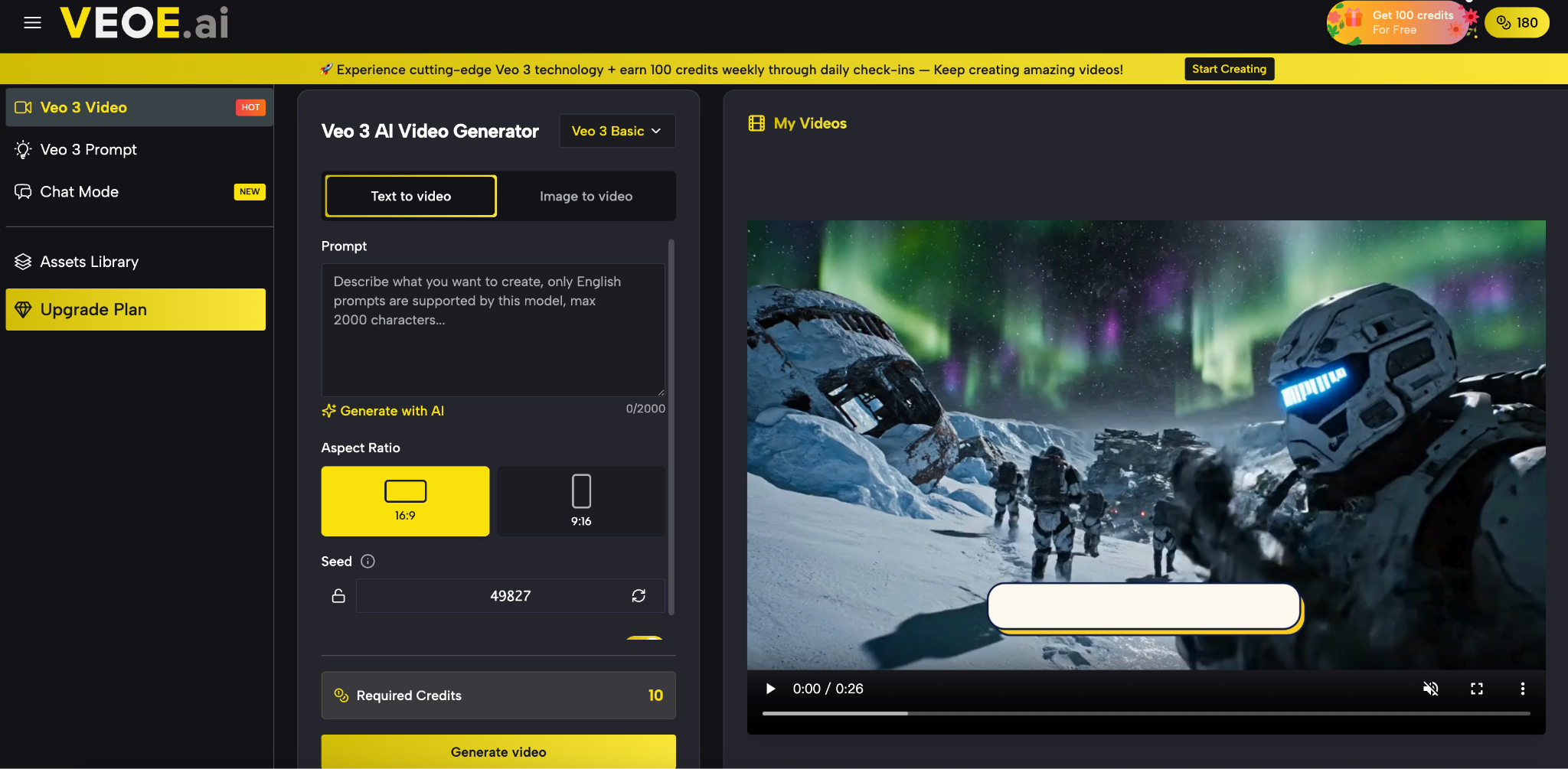
Supports 480p, 720p, and 1080p resolutions across 16:9, 9:16, 1:1, and 21:9 aspect ratios — no reformatting needed before publishing.
Key Features of VeoE Veo 3
Feature 1: Free Credits System
New users receive 100 credits instantly on login — enough to generate approximately 10 videos using Veo 3.1 Basic (24 credits per generation). An additional 100 credits are available each week through daily check-ins, making the free tier genuinely usable on an ongoing basis rather than a one-time trial. No credit card is required to start.
Feature 2: Prompt Generator
Writing an effective AI video prompt takes practice — VeoE AI’s built-in Prompt Generator removes that barrier entirely. Here’s what it does:
- Auto-optimization: Rewrites vague input into detailed, model-ready prompts, adding cinematic direction, camera angles, lighting cues, and mood descriptors automatically.
- Three variations: Returns three refined prompt options per request, so you can pick the direction that best fits your vision.
- Prompt Hub library: A curated collection of ready-to-use Veo 3 prompts, each paired with a real example output video — covering cinematic landscapes, product showcases, action sequences, horror, and more.
- One-click transfer: Clicking “Use It” on any library prompt loads it directly into the generator, so you iterate from a proven example instead of starting from scratch.
- AI prompt generation: The platform includes its own AI prompt writer — describe your idea in plain language and it generates a fully structured Veo 3 prompt for you (3 free uses per day on the free tier).
Feature 3: Chat Mode (AI Video Agent)
Chat Mode is VeoE AI’s conversational video creation interface — the platform describes it as “the #1 AI Video Agent.” Rather than filling in prompt fields, you describe your idea in plain conversation and the agent handles the rest. Key capabilities include:
- Natural language input: No prompt engineering needed — just describe what you want in everyday language.
- Intelligent project planning: The agent breaks your request into a structured generation plan before producing anything, so you can review and adjust the approach first.
- Context-aware refinement: The agent remembers earlier instructions within a session. Say “make it faster” or “add dramatic lighting” and it applies the change without you rewriting the full prompt.
- Supported video types: Product demos, avatar animations, ASMR videos, multi-scene short films, fight scenes, image animation, AI hug videos, and more.
- Continuous iteration: After generation, you continue the conversation to refine — no need to start over from scratch.
Feature 4: Assets Library
The Assets Library is VeoE AI’s video management hub. Every video generated through the platform is automatically saved here with its complete creation metadata — the original prompt, model version, generation parameters, and iteration history. The library supports filtering by style, duration, creation method, and content theme. From the library, any saved video can be opened directly back into the creation tools with one click, making it easy to refine an earlier concept, use a successful clip as a style reference, or build sequences from multiple saved assets.
VeoE AI Pricing Plans
VeoE AI offers a free tier plus three paid plans, all billed annually. The table below summarizes what each plan includes.
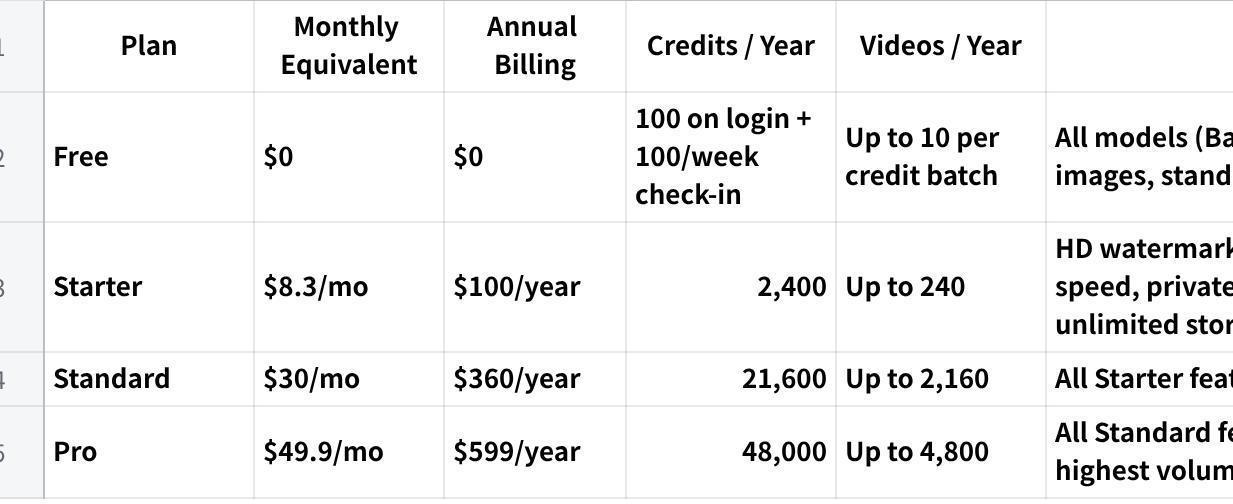
点击图片可查看完整电子表格
All paid plans include access to the full model library: Google Veo 3 Basic and Premium, Veo 3.1 Basic and Premium, ByteDance Seedance 2.0 and Seedance 2.0 Fast, Kling 3.0, Wan 2.6, Runway Gen-4, Grok Imagine, and more. Image generation models — including Flux Kontext Pro, Seedream 5.0 Lite, and GPT-4o — are also included across all tiers.
How VeoE Veo 3 Works
Step 1 — Write a Prompt or Upload a Reference
Navigate to the Veo 3 and type a description of your scene, or upload a reference image to guide the visual composition. The built-in prompt optimizer can enhance your description automatically if you prefer not to write a detailed prompt from scratch.
Step 2 — Choose a Model and Settings
Selecting it from the model dropdown — Veo 3.1 Basic is a solid default for most use cases. Adjust your aspect ratio, resolution, and visibility (public or private). Each model shows its credit cost before you confirm.
Step 3 — Generate, Review, and Iterate
Most models return a finished clip in 15 to 90 seconds. Veo 3 Premium typically renders in around 60 seconds. Preview the output in the browser, then download — or adjust the prompt and regenerate. The workflow is built for rapid iteration.
Start Generating with Veo 3 Today
Whether you’re a solo creator, a marketing team, or a filmmaker looking to prototype scenes faster, the Veo 3 AI Video Generator on VeoE AI gives you immediate access to Google’s most capable video model — free to start, no signup wall, no watermark on paid plans, and full commercial usage rights on every output. The free weekly credit refresh means you can evaluate output quality across different use cases before committing to a paid plan. Your first video is one prompt away.
About The Author