You poured your heart into the hook. You spent hours scripting the perfect narrative. You edited the core content until it was a masterpiece.
But then, the video reaches its final twenty seconds. The energy drops. The visuals change. And just like that, your viewer clicks away before hitting the subscribe button.
Why does this happen?
Because your YouTube outro felt like an afterthought.
If you want to turn casual viewers into loyal subscribers, the end of your video isn’t actually the end. It is the beginning of their binge-watching journey. And to keep them on your channel, you need a branded, highly engaging outro.The Hidden Power of a Branded YouTube Outro
Think about your favorite YouTubers.
When their videos end, you don’t even need to look at the channel name to know who you are watching. The colors, the motion graphics, the fonts—they all scream the creator’s identity.
This level of consistency builds deep psychological trust. It tells the YouTube algorithm that your viewers stay engaged, and it tells your viewers that you are a professional.
But if you are producing two, three, or five videos a week, creating a custom, on-brand outro from scratch every single time will lead to massive burnout.
The solution? You need a replicable system. You need a visual anchor.
What is a Style Reference in Video Creation?
A style reference is exactly what it sounds like: a master visual blueprint.
Instead of guessing what your outro should look like every time you open your editing software, a style reference dictates the exact parameters of your brand.
It includes:
- Your Color Palette: The exact hex codes that trigger brand recognition.
- Typography: The specific fonts used for your Call to Action (CTA).
- Motion Pacing: Does your brand feel fast and glitchy, or smooth and cinematic?
- Spatial Layout: Exactly where the “Next Video” end screens will sit.
When you have a locked-in visual blueprint, you eliminate decision fatigue.
Why Applying a “Reference to Video” Changes the Game
This is where modern creators are pulling ahead of the competition.
In the past, you had to manually keyframe every single animation to match your brand guidelines while making YouTube outros. Today, AI and advanced editing workflows have changed the rules entirely.
By applying a strict visual reference to video generation models or automated editing templates, you can instantly produce endless variations of your outro that all look like they belong to the same family.
You feed the system your style, and it outputs dynamic, moving content that perfectly matches your brand’s DNA. It bridges the gap between a static brand book and dynamic viewer engagement.
How to Scale YouTube Outros Effectively
Scaling isn’t about working harder; it is about working smarter. Here is your step-by-step roadmap to building an outro machine.
1. Lock in your “Hero” Image Before you animate anything, design one perfect, static frame of your outro. This is your master style reference. Make sure there is clear space for YouTube’s clickable end-screen elements.
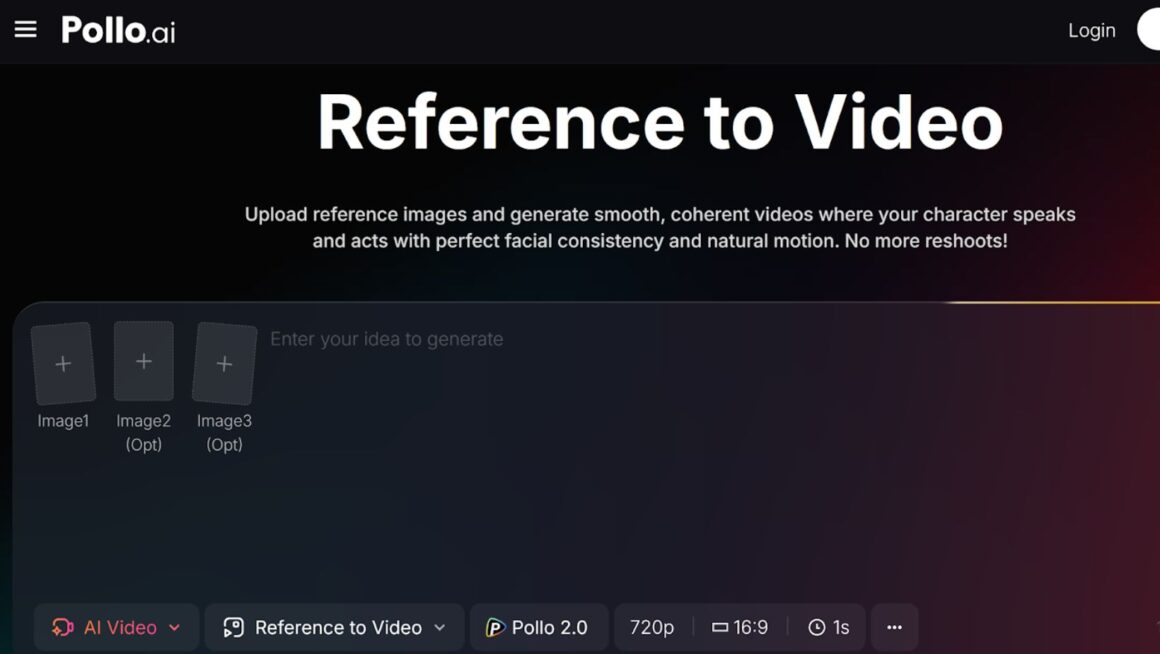
2. Leverage AI for Dynamic Motion You don’t need a massive team of animators to bring your static reference to life anymore. Pollo AI reference to video tool excels at taking your visual style references and generating high-quality, perfectly paced video clips. It is the ultimate secret weapon for creators who want premium branding without the premium price tag or steep learning curve.
3. Build Modular Templates Once your AI-generated motion backgrounds are ready, drop them into Premiere Pro, Final Cut, or CapCut. Save this timeline as a modular template. Next time you finish a video, you just drop the template at the end, change the text, and hit export.3 Golden Rules for Outro Conversion
Now that your outro production is scaled and looking beautiful, you need to make sure it actually converts.
Even the best-looking style reference won’t save a bad strategy. Follow these three rules:
- Keep it under 20 seconds: YouTube allows end screens for up to 20 seconds. Do not exceed this. Any longer, and viewer retention plummets, which hurts your overall video performance.
- Point, Don’t Ask: Stop saying “Don’t forget to like and subscribe.” Everyone says that. Instead, physically point to the spot on the screen where your next video will pop up and say, “If you found this helpful, you need to watch this video right here.”
- Maintain the Audio Vibe: Don’t abruptly change your background music. Let the audio from your final scene swell and seamlessly transition into the outro. Jarring audio changes trigger viewers to click away immediately.
The Bottom Line
Your YouTube outro is your final handshake with the viewer. If you let it get sloppy, they will walk away and forget you. But if you systemize it—using a strict visual style reference and powerful tools like Pollo AI—you create a seamless, professional experience that keeps them clicking on your content for hours.
Stop treating the end of your video like an afterthought. Build your style reference. Automate the motion. Scale your brand. Your subscriber count will thank you.
About The Author